⏱ 10 min read
How long to build AI agent projects takes is usually the wrong question. What founders and CTOs actually need to know is how long it takes to move from kickoff to a version that is integrated into real systems, reviewed by security and legal, trusted by managers, and used often enough to change a workflow. That is a very different timeline from “we got a demo working in three weeks.”
For most Series A to mid-market teams, the practical answer is 12-20 weeks to first production for a mid-complexity agent, plus another 8-12 weeks of stabilization and adoption work before the agent becomes dependable. The long tail is what gets left out of most estimates: SSO, permissions, logging, sandbox access, UAT, SOP rewrites, and manager-led adoption. If you are planning budget or a board roadmap, that is the timeline that matters.
How long to build AI agent projects really takes from kickoff to stable use
If you are asking how long to build AI agent for my business, do not anchor on the first demo. Anchor on the point where the agent can sit inside a real workflow without creating more cleanup work than it saves.
A 2-4 week prototype can prove that prompts, tools, and retrieval logic basically work. It does not prove that the agent can survive permission errors, stale records, partial tickets, broken API responses, conflicting business rules, or human handoffs. In live projects, those issues usually appear only after the first demo.
The gap between prototype and stable use is made of operational work that buyers often underestimate:
- SSO and role-based access
- Audit logs and conversation tracing
- Sandbox and production API access
- UAT with real users
- Escalation logic for low-confidence outputs
- SOP rewrites and manager training
- Weekly eval reviews after launch
On one mid-market support workflow, the first demo arrived in Week 5. The agent did not reach reliable daily usage until Week 16 because CRM permissions were inconsistent across teams, escalation rules were missing for VIP accounts, and supervisors needed two rounds of QA review before they would trust the outputs.
Why “I built an AI agent in a weekend” does not answer how long to build AI agent for a company
A weekend agent is usually one of three things:
- A toy agent with no real integrations
- A narrow internal demo using curated sample data
- A production-lite workflow where mistakes are low risk and easy to correct
That is not the same as a business agent tied to support, revenue ops, claims review, intake, or internal approvals. The production version needs uptime expectations, exception handling, identity controls, observability, and a human fallback path.
A useful rule: if the agent touches a system your finance, support, sales, or compliance team depends on, the calendar is driven less by model choice and more by workflow risk. NIST AI RMF is helpful here because it forces teams to define governance and risk treatment before rollout, not after an incident.
The real finish line is adoption, not the first demo
In most real deployments, the first working version is about halfway through the calendar. The next 8-12 weeks absorb the work that converts a promising agent into an adopted one.
That post-demo phase usually includes:
- Reviewing failed conversations and tool calls every week
- Tightening retrieval and permission checks
- Writing supervisor escalation rules
- Updating team SOPs
- Training managers on when to override the agent
- Measuring actual workflow coverage, not just accuracy on test prompts
A practical benchmark: teams often budget for launch, then discover that 20-35% of the total timeline goes into evals and edge-case tuning. That matches what modern AI teams see in production agent builds, especially once messy real-world inputs replace happy-path testing.
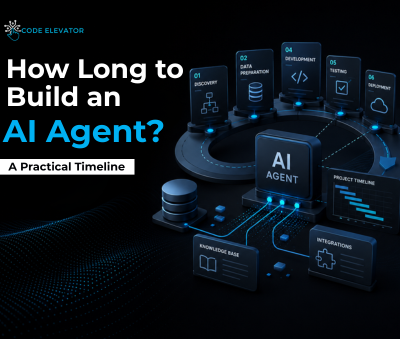
The 5 phases of custom AI agent development and the weeks each one usually takes
Phase 0: Use-case definition (1-3 weeks). This is where teams either save a month later or waste one. Pick one workflow, define the exact handoff point, and state what “good enough” means. A support triage agent might target first-pass categorization and draft response suggestions, not full ticket closure.
Phase 1: Discovery and solution design (2-4 weeks). Map the current workflow, list every system the agent needs, and lock the eval plan early. If no one owns prompt and eval signoff, progress stalls fast. In practice, unclear ownership here is one of the biggest hidden schedule killers.
Phase 2: PoC (3-6 weeks). This is where the agent proves it can retrieve, reason, or route with acceptable baseline performance. Keep the scope narrow. A knowledge agent can often move faster than a multi-step operational agent with write access.
Phase 3: Integration and hardening (4-10 weeks). This is where many “4-week AI builds” become 12-week projects. SSO, role permissions, audit logs, fallback flows, and production APIs all live here. If the process touches a help desk, CRM, or telephony stack, expect more testing than your initial estimate suggests.
Phase 4: UAT and stabilization (4-8 weeks). Pilot with a limited group first. Review bad outputs, tune prompts and retrieval, fix business logic, retrain users, and only then widen adoption. Stable usage often lags launch by a full quarter.
What it takes to go from AI proof of concept to production
When buyers ask how long does it take to go from AI proof of concept to production, the useful range is usually 6-10 weeks after a successful PoC, assuming the use case is already scoped and no major architecture changes appear.
The missing work between “demo worked” and “we can trust it” is predictable:
- Security review for data flow, retention, and access boundaries
- SSO and access controls so users only see permitted data
- Observability with logs, traces, and failure categorization
- Escalation logic for low confidence or blocked tool calls
- Pilot rollout with sampled conversation review
- SOP changes so the team knows when to use or override the agent
A good reference point is Stanford HAI’s AI Index, which shows broad adoption growth but does not hide the operational complexity of putting AI into core workflows. The gap between experimentation and durable deployment is where most planning errors happen.
If your project is retrieval-heavy, RAG implementation services planning should happen before PoC signoff, not after. Permissions-aware retrieval redesigns are one of the most common sources of post-demo rework.
How long to build AI agent depends on scope, integrations, and internal readiness
The biggest schedule swings do not usually come from whether you picked one model or another. They come from internal readiness and integration friction.
The most common real-world blockers are boring, but they are the ones that move the calendar:
- Waiting two weeks for CRM admin access
- No sandbox environment for testing
- Legal reviewing customer-facing language late in the cycle
- No owner for prompt or eval signoff
- Exception paths in the underlying workflow living only in one manager’s head
- Poor knowledge-base hygiene, with duplicate or stale documents
A Series A SaaS team can get an internal knowledge agent into pilot quickly if documents are clean and access is simple. The same team can lose a month if their source docs live across five tools with inconsistent permissions and no canonical owner.
AI integration timeline: CRM, help desk, internal APIs, and permissions
If you want to know how long to integrate AI agent with my CRM and support tools, use this rule of thumb:
- Clean APIs + sandbox + clear permissions: 2-4 weeks
- Mixed systems + partial docs + access bottlenecks: 4-6 weeks
- Legacy schemas + workaround-heavy integrations: 6-10 weeks
The delay is usually not coding. It is waiting on access, clarifying field mappings, handling permission inheritance, and dealing with brittle schemas.
One anonymized example: a support agent connected to a CRM and help desk looked straightforward on paper. The build team lost three weeks because production API keys required a separate approval path, customer tier data lived in a custom object with poor documentation, and no one had defined what the agent should do when account status was missing.
For agent projects that involve telephony or synchronous workflows, the integration bar is even higher. In AI voice agent development work, latency, transfer logic, and fallback behavior often matter more than prompt quality.
How AI project phases change when your team is not data, security, or process ready
For mid-market companies, the first delays often happen before engineering even gets moving.
Expect added weeks if any of these are true:
- Success metrics are still vague
- The knowledge base is stale or duplicated
- Security needs to discover data flows from scratch
- Business process exceptions are undocumented
- Stakeholders can only review once every two weeks
- No one can approve agent behavior changes quickly
This is why AI project phases and timelines for mid-market companies often stretch beyond the original estimate. A weak process map can add more delay than a hard technical problem.
A practical fix is to run a one-week readiness sprint before build kickoff. Use it to confirm system owners, sandbox access, document owners, and signoff paths. Teams that skip this often pay for it later through idle engineering time.
How long to build AI agent versus buy, partner, or hire in-house
Many leaders compare software timelines and forget talent timelines. That is a mistake. The right question is not just how long to build AI agent software. It is whether your chosen path gets you to pilot before the market or your board loses patience.
Here is a realistic side-by-side view.
| Build Path | Time to Kickoff | Time to First Demo | Time to Pilot | Time to Production | Key Risks |
|---|---|---|---|---|---|
| Off-the-shelf agent tool | 1-2 weeks | 2-4 weeks | 4-6 weeks | 6-10 weeks | Weak fit, shallow integrations, permission gaps |
| External custom build team | 1-2 weeks | 4-8 weeks | 8-12 weeks | 12-20 weeks | Stakeholder delays, access blockers, scope creep |
| Internal hiring and build | 8-20 weeks | 14-24 weeks | 18-28 weeks | 24-40+ weeks | Hiring lag, onboarding, architecture from scratch |
The external path often reaches pilot sooner than the in-house path because the recruiting clock disappears. For US companies, senior AI engineering hires commonly sit in the $180k-$250k base salary band, and recruiting plus notice period can easily consume 2-5 months before meaningful build work starts.
Custom AI agent development vs off-the-shelf chatbot timeline
The custom AI agent vs off the shelf chatbot timeline tradeoff is simple: prebuilt tools are faster to test, but custom builds are more durable when the workflow needs real permissions, business logic, and system integration.
Use off-the-shelf tools when:
- The use case is narrow
- Mistakes are low risk
- Integration needs are light
- You mainly want drafting, retrieval, or routing
Choose custom development when:
- The workflow spans multiple systems
- The agent needs company-specific logic
- Auditability and access controls matter
- The process affects revenue, support quality, or compliance
A prebuilt chatbot may get you a pilot in a month. But if your target is reliable workflow coverage, you may still end up rebuilding key pieces later. That is why many teams start with a narrow internal assistant, then expand into AI agent development services once the workflow proves ROI.
When an external build team is faster than hiring AI engineers internally
For Series A to mid-market companies, an external build team is often faster when the project needs RAG, orchestration, integrations, and governance from day one.
The in-house path usually looks like this:
- Write the role and get budget approval
- Recruit for 8-16 weeks
- Lose candidates on comp or competing offers
- Wait through notice periods
- Onboard into your systems and domain
- Start architecture discovery
An experienced external team starts discovery in Week 1. That matters when leadership needs a pilot this quarter, not two quarters from now. If you do plan to staff internally later, a common approach is to start with hire AI developers support or a virtual AI hiring guide path while the roadmap is still taking shape.
FAQ: how long to build AI agent in real business conditions
Can we get anything meaningful live in under 4 weeks?
Yes, but only if the use case is narrow and integration-light. Think internal knowledge search, draft assist, or a simple triage helper with no write actions. If the agent needs CRM updates, customer-facing responses, or permission-aware retrieval, under 4 weeks is usually a demo timeline, not a stable production timeline.
How many weeks to build custom GPT for an internal knowledge base?
A realistic range is 4-8 weeks. The faster end assumes documents are clean, owners are known, access rules are simple, and the rollout is internal only. The slower end appears when chunking strategy, stale docs, permissions, and eval design need cleanup before users can trust answers.
How long until employees actually use an AI agent at work?
Expect 2-3 months after launch before usage becomes dependable on a meaningful workflow. In Week 1, you may see only 10-20% of target users try it. Stable weekly usage often reaches 60-80% only after manager reinforcement, QA reviews, interface tweaks, and SOP updates.
What is a realistic budget for a custom AI agent?
For planning, think in bands rather than one number. A narrow internal knowledge agent may land around $25k-$60k. A mid-complexity workflow agent with integrations, access controls, and stabilization support often sits in the $75k-$200k range. Ongoing costs include model usage, monitoring, support, and monthly tuning work.
How can we speed up the AI development process without cutting corners?
Do four things early:
- Pick one workflow, not three
- Secure system access before kickoff
- Name one person who owns eval signoff
- Schedule weekly review sessions during pilot
Teams move faster when decisions happen in days, not at the next steering committee meeting. McKinsey’s State of AI repeatedly shows that value comes from disciplined execution, not from collecting more AI experiments.
Conclusion
If you are trying to answer how long to build AI agent for a real business workflow, the practical answer is usually 12-20 weeks to first production and another 8-12 weeks to reach stable adoption. The difference between a flashy demo and a dependable agent is not mostly about prompts. It is about access, integrations, security review, edge-case handling, and whether managers actually change the workflow around the tool.
The most useful planning insight is this: the first demo is often the halfway point, not the finish line. If you budget only for the build, you will underfund the part that determines ROI.
If you are evaluating a custom agent project, start with one workflow, one owner, one success metric, and one realistic rollout plan. A good next step is a scoped build-vs-buy conversation that covers integration readiness, eval design, and post-launch support before any code starts.
Get a free consultation today!
Book a free demo with Code Elevator IT Solutions.
Call Now: +91 91045 04898